Messages lose context
Direct conversations, classroom notices, and urgent announcements should not compete across unrelated channels.
 Request a demo
Communication + billing for school communities
HIMQ gives administrators a clear view of communication and billing while giving teachers and parents a simple mobile app for the moments, messages, and tasks that shape every school day.
Built for preschools, kindergartens, and close-knit school communities.
A clearer way to run the school day
Families need one dependable place to understand what is happening. School teams need the complete picture without stitching it together by hand.
Direct conversations, classroom notices, and urgent announcements should not compete across unrelated channels.
Families deserve the invoice history behind a request while the office keeps online and offline payments together.
Photos, event dates, lunch information, and balances are easier to trust when they share one reliable home.
HIMQ connects these workflows while preserving the right boundaries for every role.
One platform, purpose-built views
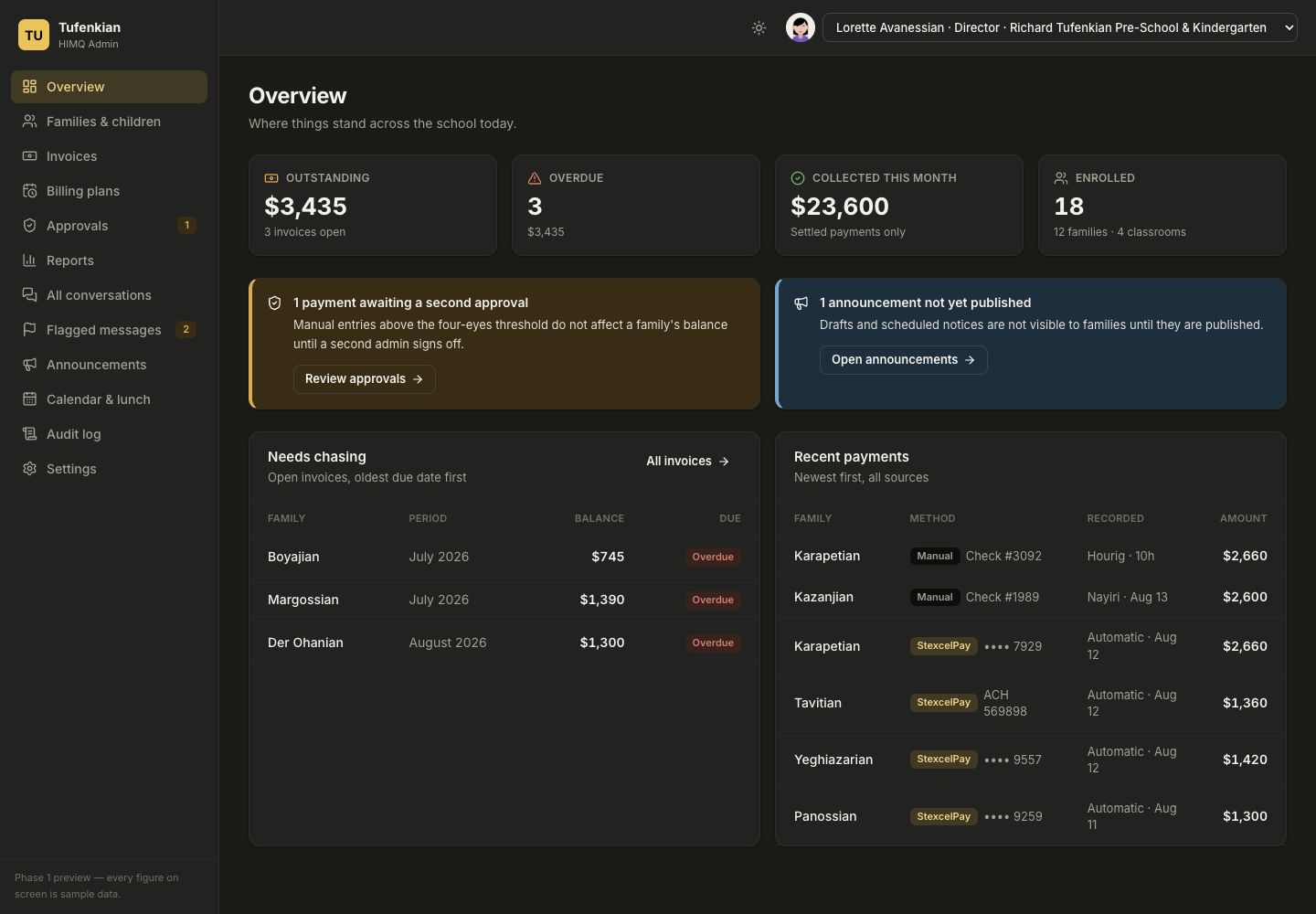
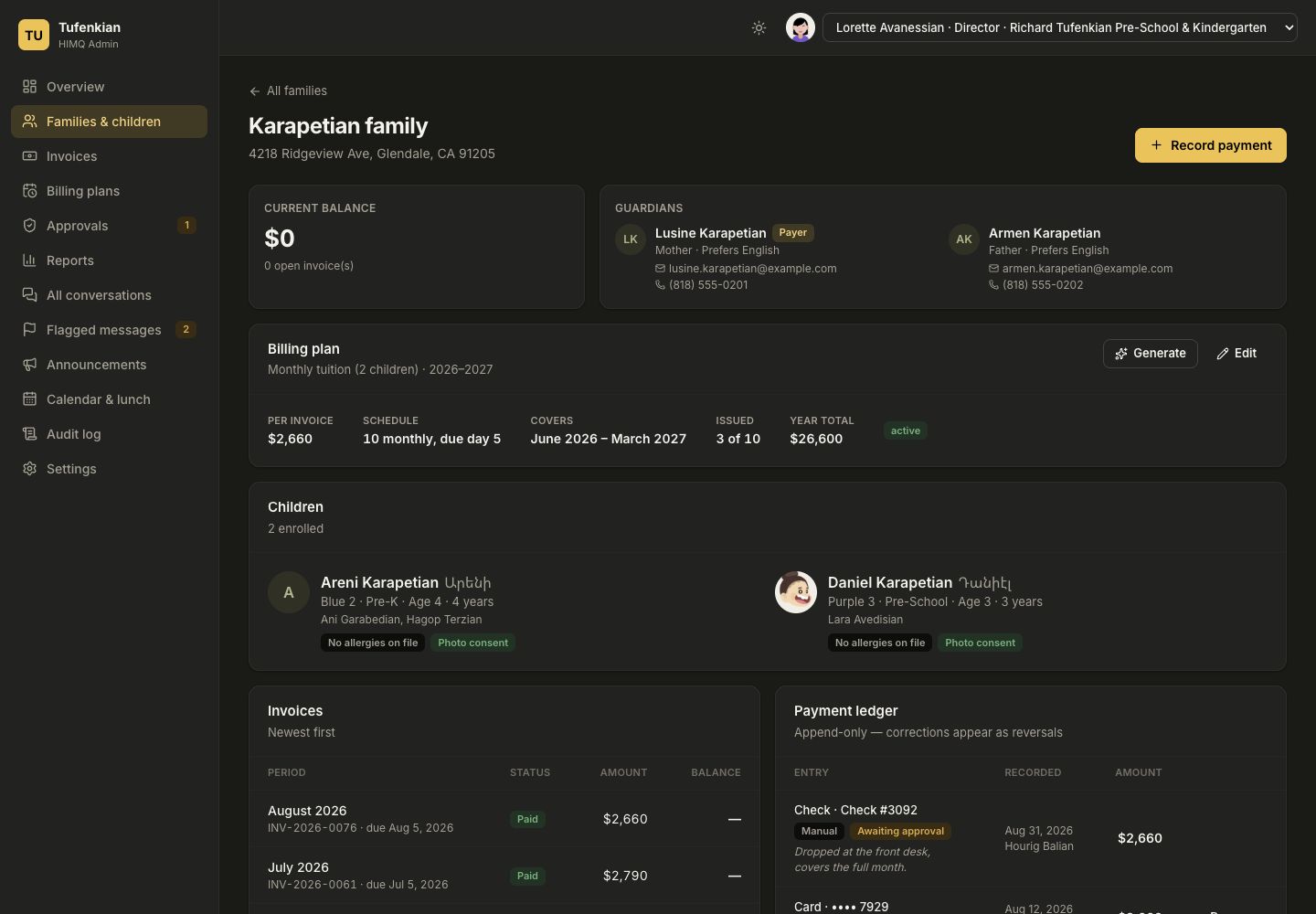
Manage family and billing records, publish school information, and keep an auditable history of important actions.
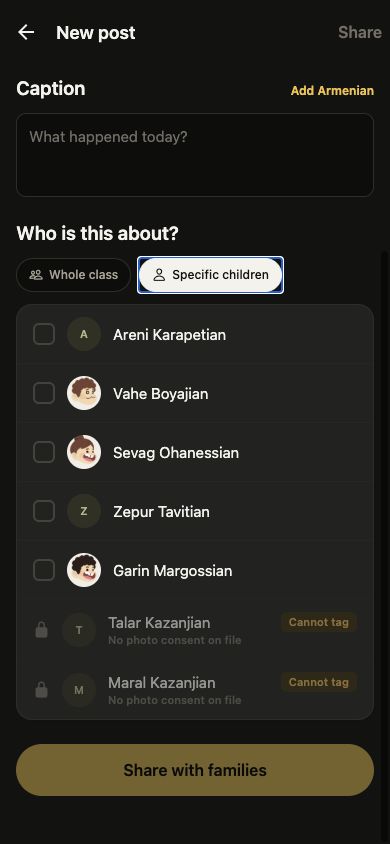
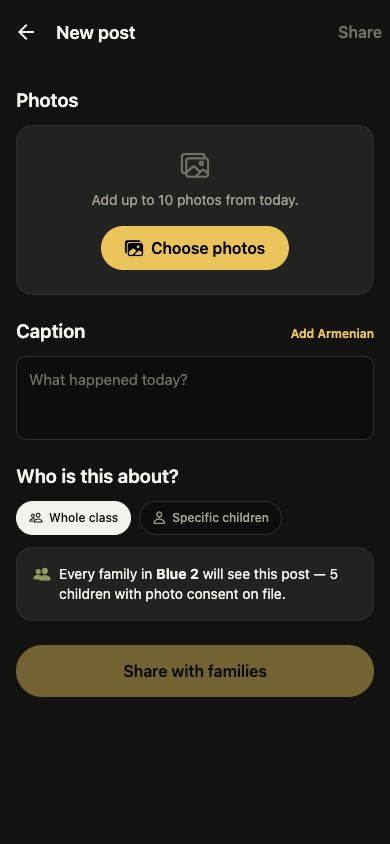
Explore the dashboard →Post photos, message guardians, and reach the class—with photo-consent rules built into the workflow.
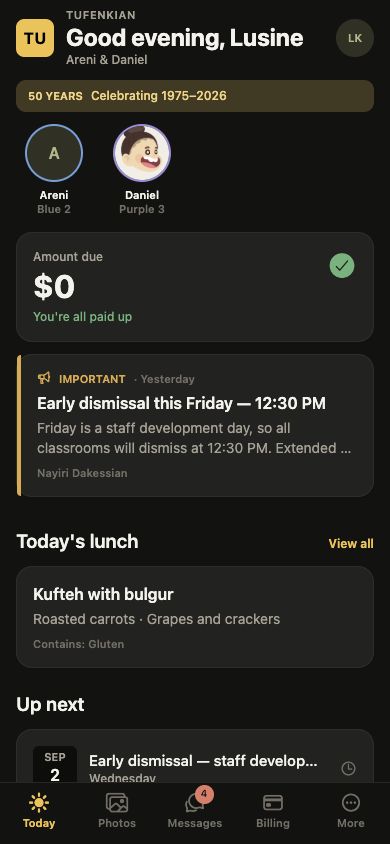
See the teacher experience →Follow classroom life, read notices, plan around events, and understand every invoice and payment.
See the family experience →Front-office clarity
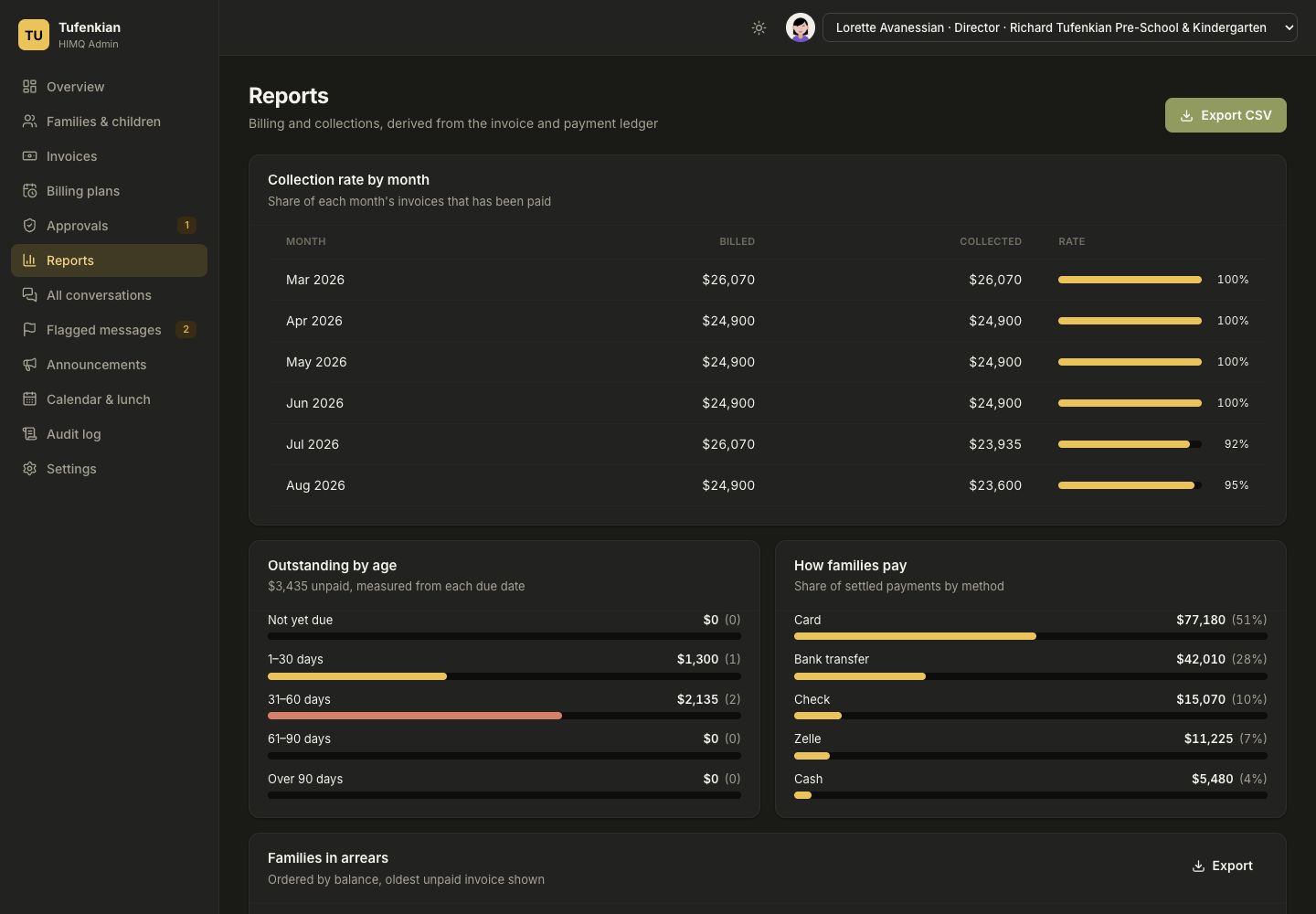
HIMQ's dashboard is organized around action. Directors and administrators can see outstanding balances, overdue invoices, payments awaiting approval, and the families who need follow-up.
A familiar home for families
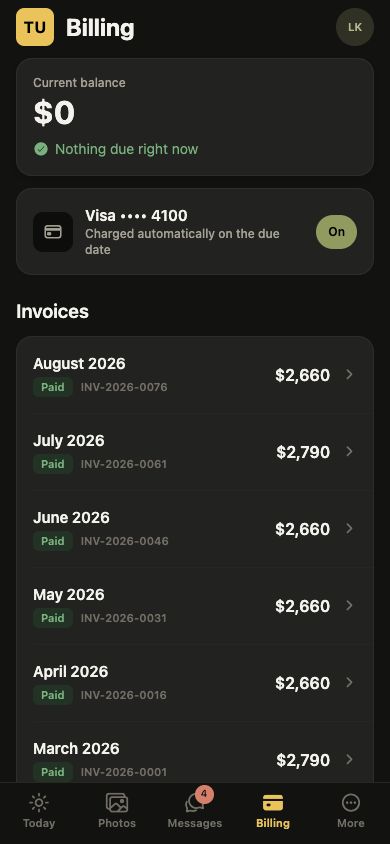
Parents move naturally from a classroom moment to a message, or from a balance to the invoice behind it. Teachers share quickly without losing the boundaries schools rely on.
Communication with clear boundaries
One-to-one threads between a staff member and guardian keep a child's conversation focused and private.
Teachers post to the class. Guardians can react, while private replies move to a direct conversation.
Staff choose the audience and priority, prepare language versions, save, schedule, or publish.
English and Western Armenian notices are authored by staff, with each family's preference shown first.
Billing both sides can understand
Families see the amount due, every line item, and payments already applied. The office manages the same underlying record whether a family pays online or hands in a check.
Online collection is designed around StexcelPay's hosted payment experience. Final supported payment methods and production availability are still being confirmed.
Thoughtful by design
Sensitive actions are made visible and important rules are enforced in the workflow—not left to memory.
 Designed around school, role, family, and classroom boundaries.
Production architecture is being built around tenant context and row-level isolation, with cross-school access tests.
Directors, office staff, teachers, and guardians have purpose-specific access.
A child without photo permission cannot be selected in the teacher posting flow.
Schools can require a second administrator for manual payments above a chosen threshold.
Important changes to money, settings, and published notices retain visible history.
HIMQ is intended for staff and adult guardians, without behavioral advertising.
How HIMQ works
Configure branding, languages, classrooms, staff, families, and school-wide controls.
Staff publish information, teachers share updates, and the office manages billing.
Parents use the mobile or web app to follow updates and manage balances.
HIMQ onboarding workflows are still being finalized. Request a demo to discuss the expected launch process for your school.
Request a product walkthrough
Walk through the admin dashboard and the teacher and family app. We'll focus on the communication and billing workflows that matter most to your school.